Enriching Data with Hybrid Analysis
Hybrid Analysis performs in-depth static and dynamic analysis of files. When activated, the Hybrid Analysis enrichment provides data enrichments for hash observable.
You can leverage Hybrid Analysis data on Explore after activation.
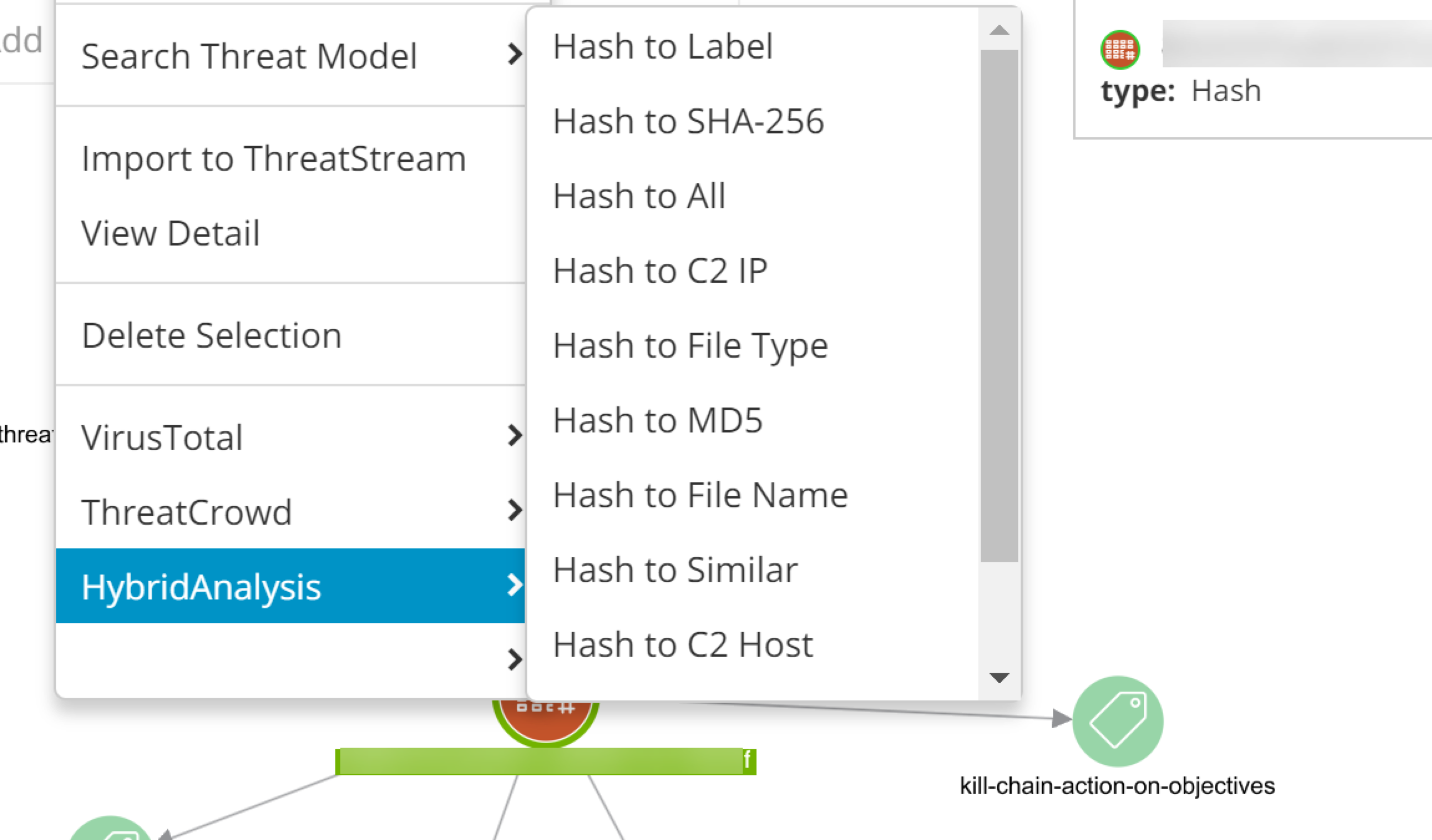
Hybrid Analysis enables the following data transformations:
- Hash to MD5
- Hash to SHA-256
- Hash to Threat Score
- C2 IP to Hash
- Hash to C2 IP
- Hash to All
- Hash to File Name
- Hash to File Type
- Hash to Label
- Hash to Tag
- C2 Host to Hash
- Hash to C2 Host
- Hash to Similar
Enrichment data is available on the Hybrid Analysis tab in the Enrichments section on hash observable details pages.
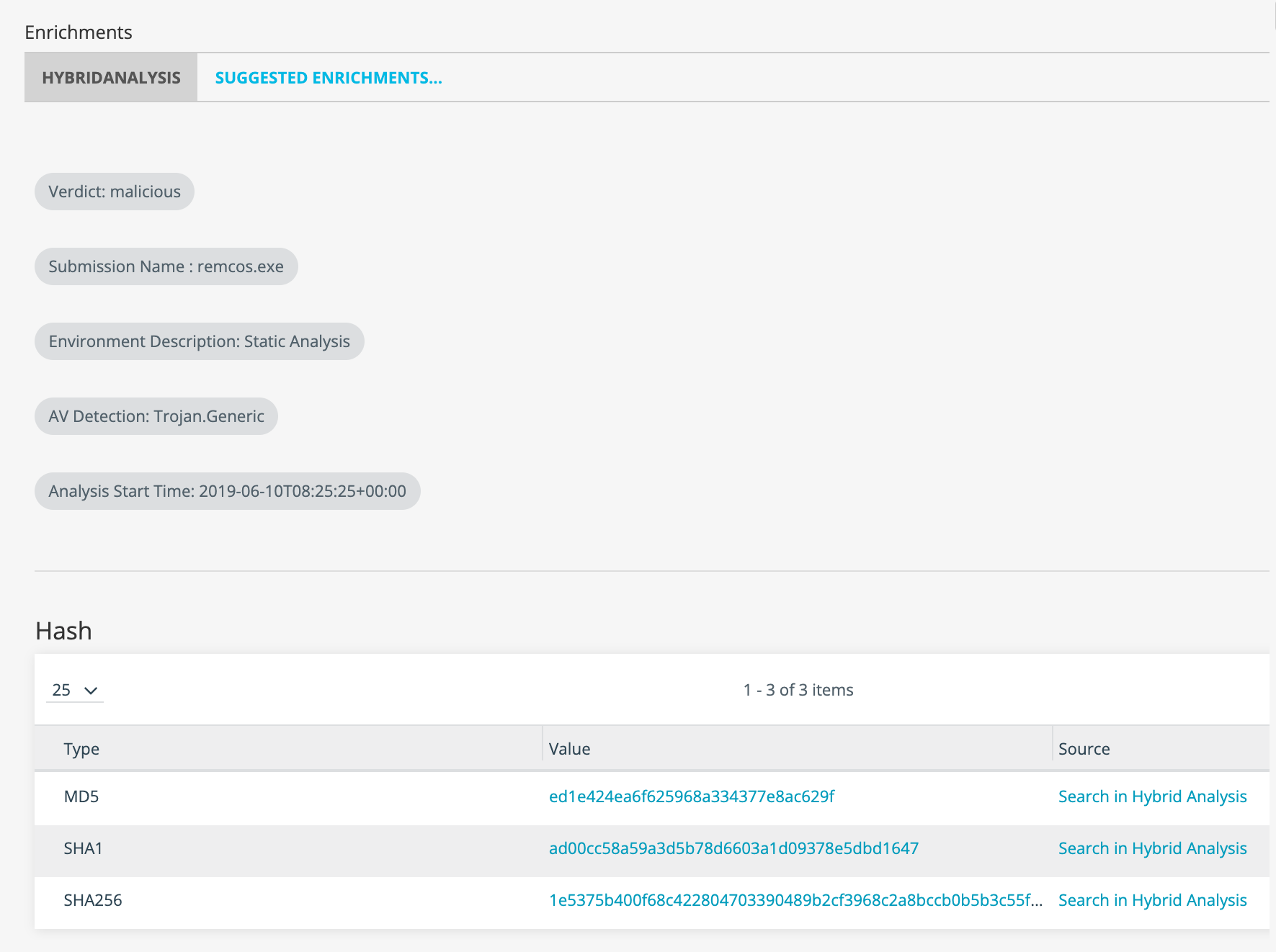
The enrichment returns the following information from Hybrid Analysis: Verdict, Submission Name, Environment Description, AV Detection, Analysis Start Time, MITRE Attack, DNS Requests, Compromised Hosts, Contacted Hosts, Certificates, Extracted Files, and Spawned Processes.
Click the link in the Value column to drill down on the observable details page in ThreatStream. Click the link in the Source column to view the observable on the Hybrid Analysis user interface.
To activate the Hybrid Analysis enrichment:
-
If you do not have a Hybrid Analysis account, use these steps to register and obtain your API key:
- Visit the Hybrid Analysis registration page, enter the required information, and click Sign up. After completing this step, Hybrid Analysis sends you an activation email.
- Locate the Hybrid Analysis activation email in your inbox and complete the enclosed steps required to activate your account.
- Log in to your Hybrid Analysis account.
-
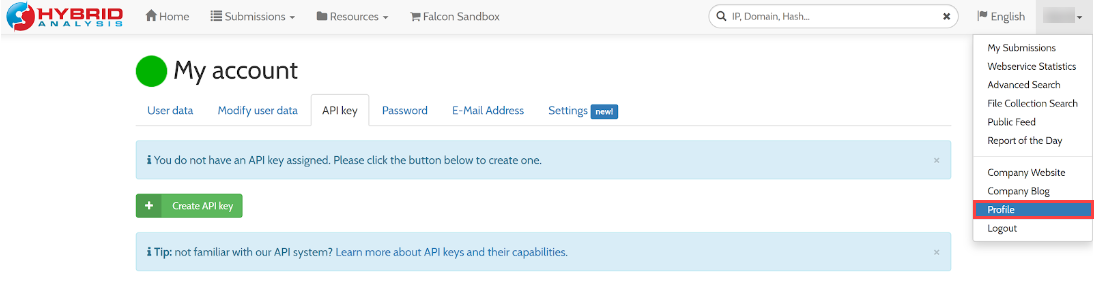
Click Profile in the Hybrid Analysis menu at the top right of the page.
-
On the API Key tab of the My Account screen, click Create API Key. You will use the resulting API key to activate the enrichment .
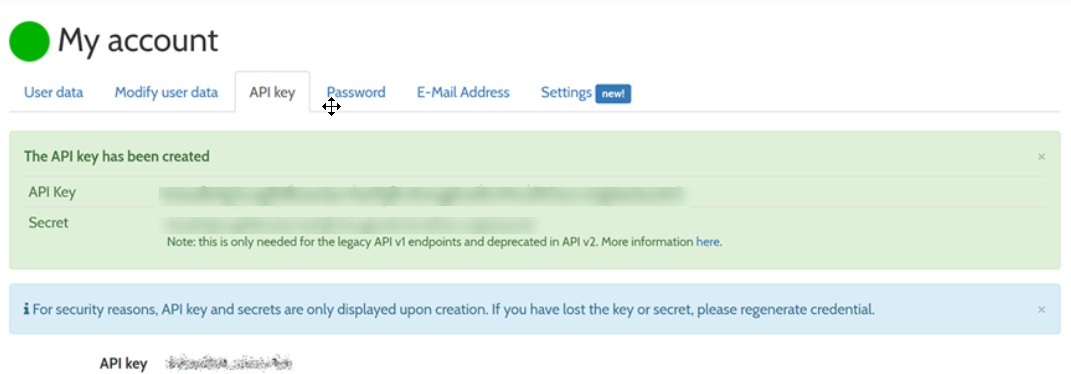 API Keys are only displayed upon creation. Store your API Key in a secure location. If you lose your API Key, you must regenerate it and reset impacted endpoints.
 - Hybrid Analysis allows vetted researchers to download malicious files or Malware samples from their service via the user interface or API. To request this permission, click Upgrade API Key and complete the resulting form.
-
Navigate to ThreatStream > APP STORE > APP Store.
- Click Get Access on the Hybrid Analysis tile.
- Click I have credentials on the wizard page that opens.
-
On the next wizard page that opens, click Credentials and enter your Hybrid Analysis API Key.
- Click Activate.
The Hybrid Analysis enrichment is now active.
Note: To learn more about the Hybrid Analysis public API, visit https://www.hybrid-analysis.com/apikeys/info
- The Hybrid Analysis public API limits sandbox submissions to 30 per day. Database requests—such as retrieving sandbox reports, keyword searches, or downloading samples—are limited to 200 per minute and 2,000 per hour